


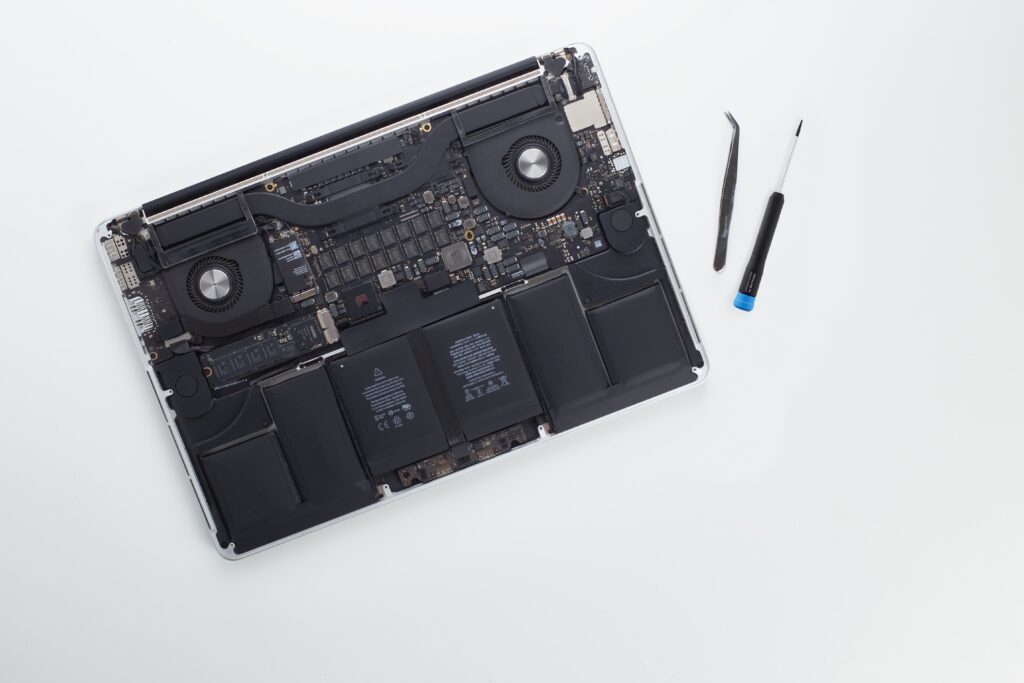
Your MacBook is an essential tool, whether for work, school, or entertainment. Over time, even the most reliable Apple devices can develop issues that impact performance. While some problems can be resolved with basic troubleshooting, others require professional attention. Identifying the signs that indicate your MacBook needs repair can prevent more serious damage and help you get back to using your device efficiently. Below are four key indicators that you may need MacBook repair services.
Table of Contents
Slow Performance and Frequent Freezing
One of the most common signs of a failing MacBook is sluggish performance. If your MacBook is taking longer to open applications, freezing unexpectedly, or frequently crashing, there may be underlying hardware or software issues. A failing hard drive, outdated software, or even malware infections could be the culprit.
Before seeking MacBook repair services, try restarting your device, clearing storage space, and updating macOS. If the problem persists, a professional technician can diagnose the issue and determine if repairs or hardware replacements are necessary.
Battery Drains Quickly or Won’t Charge
MacBooks are known for their excellent battery life, so if your device is losing charge unusually fast, it could indicate battery degradation. If your MacBook doesn’t hold a charge for more than a couple of hours, takes longer to charge, or fails to charge at all, it may be time for a battery replacement.
Apple batteries have a limited lifespan and will eventually need replacing. A certified technician can inspect the battery’s health and replace it if necessary. Opting for a professional MacBook repair service ensures that the battery replacement is done safely and efficiently.

Overheating and Loud Fan Noise
Your MacBook should remain relatively cool during normal use. However, if your device frequently overheats or the fan runs loudly even when performing basic tasks, this could indicate a deeper issue. Dust accumulation, a failing cooling system, or a faulty processor can all contribute to overheating.
Ignoring overheating issues can lead to permanent damage to internal components. A professional repair service can clean out dust, replace thermal paste, or diagnose hardware failures to restore your MacBook to optimal performance.
Display Issues and Flickering Screen
A flickering screen, dead pixels, or an unresponsive display are clear signs of a problem. MacBook screens are delicate, and physical damage or internal malfunctions can affect usability. If your screen is not displaying properly, has discoloration, or flickers randomly, you may need screen repair or replacement.
Attempting to fix display issues on your own can lead to further damage. Seeking MacBook from experienced professionals ensures that the screen is replaced or repaired correctly without compromising other components.
The Importance of Professional Repairs
When dealing with MacBook issues, professional repairs are often the best solution. A certified technician can accurately diagnose the problem and provide reliable repairs that extend the lifespan of your device. Additionally, some repair centers offer same day iPhone repair services, which is beneficial if you own multiple Apple devices and need quick assistance.
Many repair shops also provide same-day iPhone screen repair, allowing you to get your Apple devices back in working condition without long waiting times. If you’re located in Western Australia, you can also find specialized services for iPhone screen repair in Perth, ensuring you receive expert care for all your Apple products.
Frequently Asked Questions (FAQs)
How much does MacBook repair usually cost?
The cost of MacBook repair varies depending on the issue. Minor repairs like battery replacements or software troubleshooting may cost less, while screen or motherboard replacements can be more expensive. It’s best to get a quote from a professional service.
How long does MacBook repair take?
Repair times depend on the complexity of the issue. Simple fixes like battery or keyboard replacements can often be done within a few hours. More complicated repairs, such as logic board replacements, may take a few days. Some repair centers also offer same-day service for certain issues.
Can I repair my MacBook myself?
While some minor software issues can be resolved independently, hardware repairs require technical expertise. DIY repairs can lead to further damage, void warranties, and may not be as reliable as professional services.
Is MacBook screen repair expensive?
MacBook screen repairs can be costly, especially for Retina displays. However, the price varies depending on the model and the extent of damage. Seeking professional repair ensures high-quality replacement parts and expert installation.
Where can I find reliable MacBook repair services?
You can find MacBook repairs services at authorized Apple service centers or reputable third-party repair shops. If you also need iPhone screen repair in Perth, look for trusted service providers that offer comprehensive Apple repair solutions.
Conclusion
Recognizing the signs that indicate your MacBook needs repair can help prevent further damage and costly replacements. Whether it’s slow performance, battery issues, overheating, or display malfunctions, seeking professional MacBook repair services ensures your device is restored to peak performance. Many repair centers also offer same-day iPhone repair and same day iPhone screen repair, making it convenient for Apple users to get their devices fixed quickly. If you need expert MacBook repair or iPhone screen repair in Perth, choosing a trusted repair service can save time and provide long-term reliability.